The web UI shows what your agents did: which tasks exist, who is working on them right now, how each result was checked, and what an agent was given when it started. It is built into the istok binary, needs no account, and is reachable only from your machine.
Open the UI
istok uiIstok serves the UI on http://127.0.0.1:7700, prints the address and opens your browser. It runs until you press Ctrl+C.
--no-openprints the address without opening a browser.--port 7800uses another port;--port 0picks a free one.ISTOK_UI_PORTworks too.--database PATHpoints the UI at a custom database, like the other commands.
To keep it running in the background on Linux, see Updates and the UI service.
Projects and tasks
The start page has a card per project: its path, open, blocked and done tasks, running and stale runs, and last activity. Sort by activity, name or creation date.
Open a project to see its tasks. Filter by state (not done, open, blocked, done, all) or by title and number. A task page shows the description, acceptance criteria and notes, the full history, dependencies in both directions, and every run that worked on it.
Knowledge, on the project page, is a read-only catalog of the project’s knowledge with status and kind.
Runs
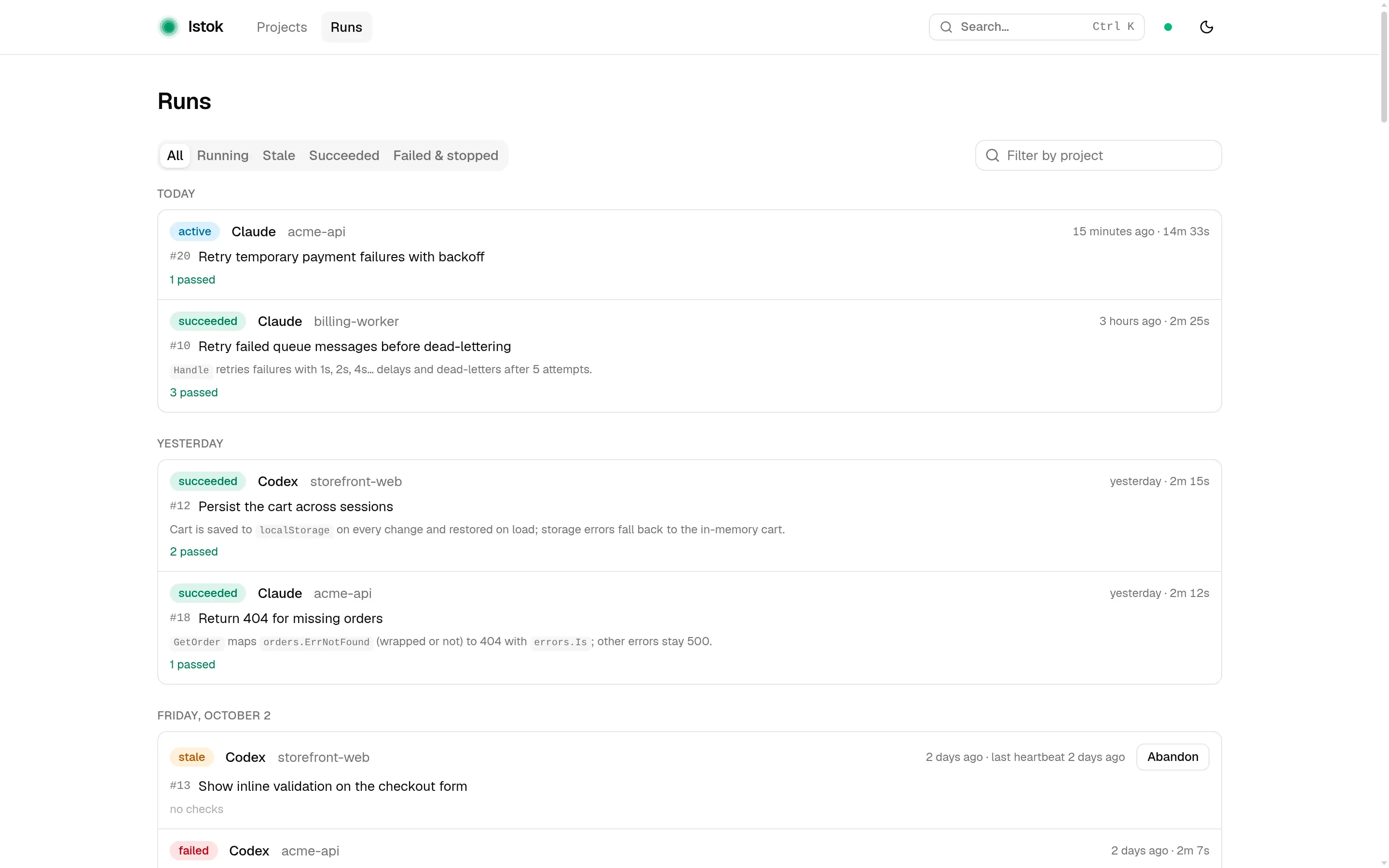
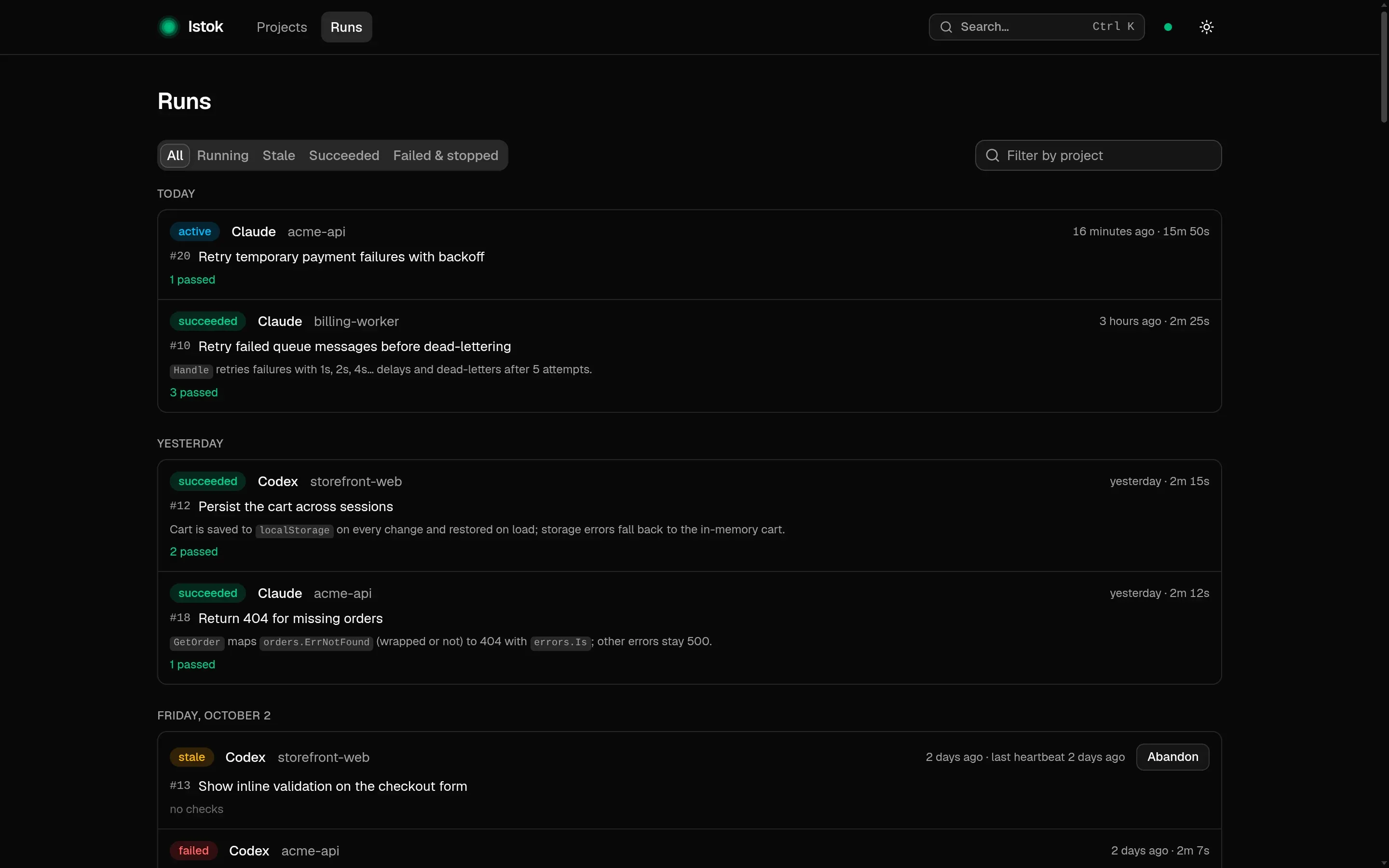
Runs in the top bar is a feed of runs across all projects, grouped by day. Filter by project name or by state:
- Running — the agent is still sending heartbeats;
- Stale — the agent stopped sending heartbeats and the lease expired; the feed shows when it was last heard from;
- Succeeded;
- Failed & stopped — failed, blocked, cancelled and abandoned runs.
A run page
The header shows who ran the attempt, when, for how long, the Git branch and commit it started from, and the final summary. Three tabs follow.
Validations lists each recorded check, whether it passed, and the command behind it. This is where you see how a result was verified.
Executions lists the commands the agent ran through Istok.
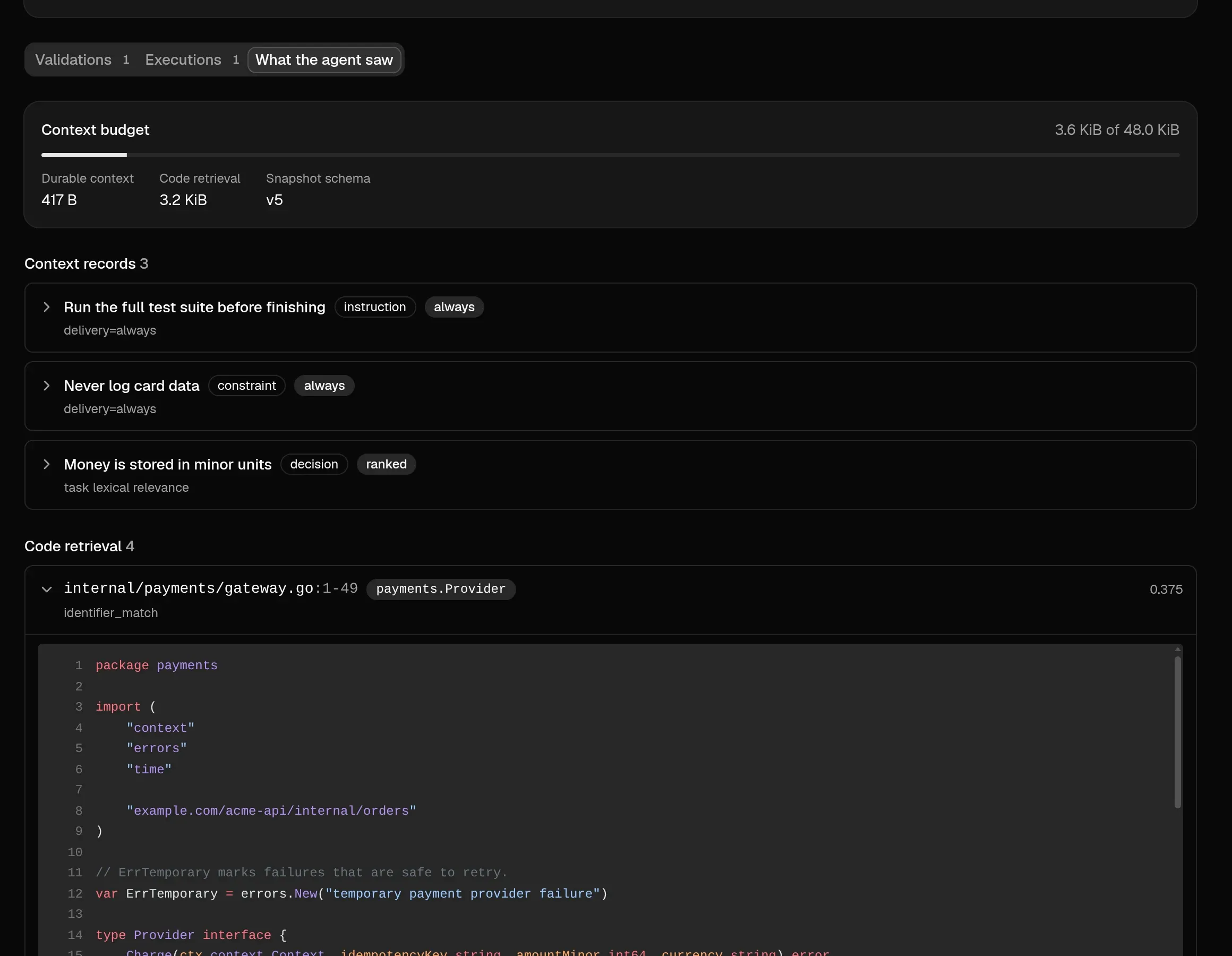
What the agent saw is the context saved when the task was claimed:
- the context budget and how much of it saved context and code retrieval used;
- the saved context records delivered, with their delivery mode and why each was selected;
- the code snippets from retrieval, with file path, line range and score;
- the knowledge briefing: titles and summaries of current knowledge.
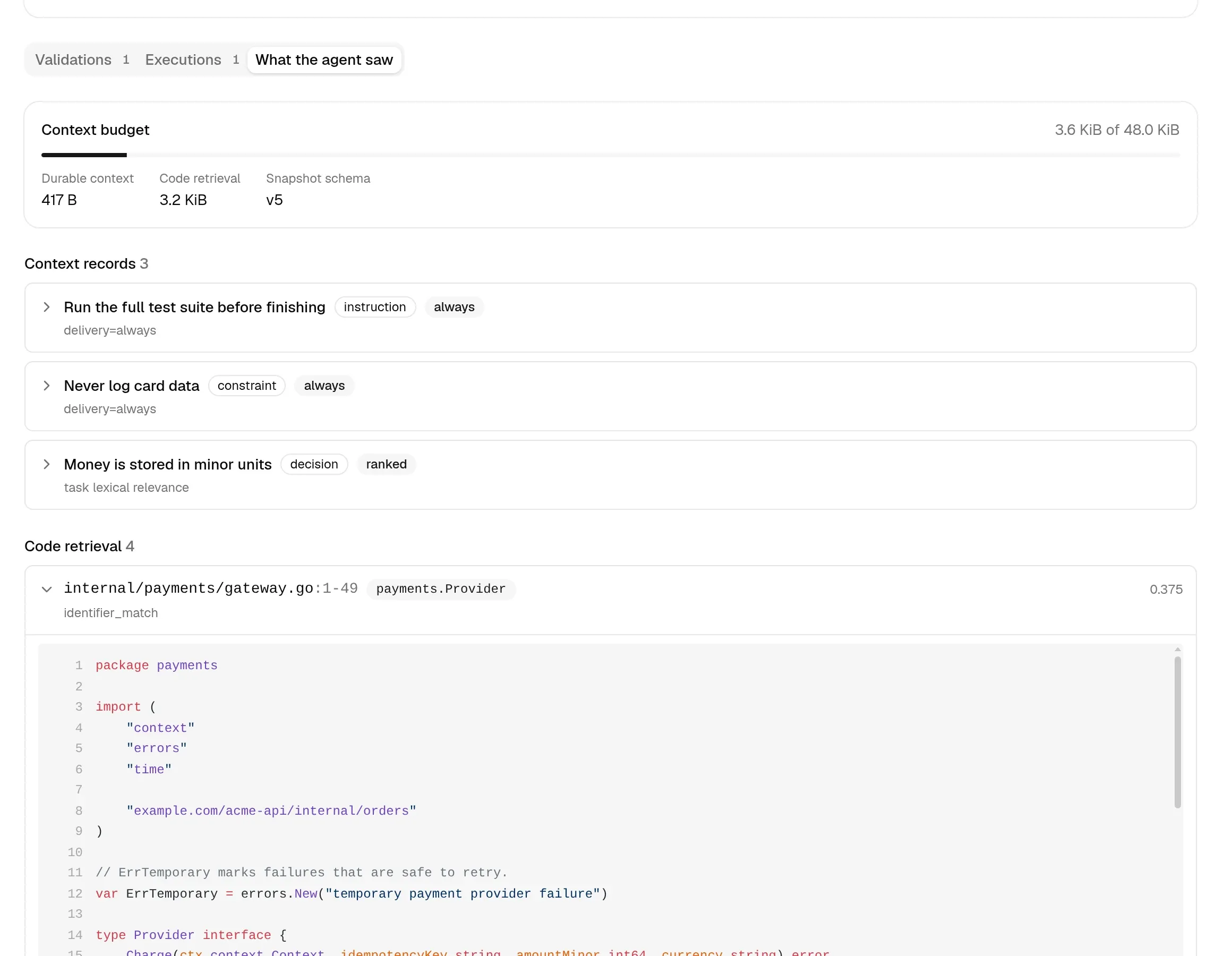
When an agent got something wrong, this tab tells you whether the right information was missing or was there and ignored. See Context and knowledge for how it is assembled.
Search, themes and live updates
Press Ctrl+K (⌘K on macOS) to search. Inside a project it finds tasks, knowledge and projects; elsewhere, projects.
The UI follows your system’s light or dark setting. Switch with the theme button or D.
You never need to reload. When an agent creates a task, records progress or finishes a run, the open page updates within about a second. The dot in the header shows whether live updates are connected; without them the UI refreshes every few seconds.
Abandon a stale run
A stale run still holds its task, so the task stays in progress. Use Abandon on the run in the feed, on the run page or on the task page. It:
- closes the run as
abandoned, keeping it in the history; - releases the task so another agent can claim it;
- records your reason in the task history, or a default one if you leave it empty.
The UI refuses to abandon a run whose agent is still sending heartbeats. The terminal equivalent is istok run abandon. See Several agents, one project.
Delete a project
Open the project, use the actions menu next to its name, choose Delete project and type the name to confirm. The project leaves the list and its directory can be registered again. Tasks, runs and history stay in the database, and no repository files are touched. To undo it:
istok project restore acme-apiAccess and security
The UI listens only on 127.0.0.1, so other machines on your network cannot reach it. It has no login or token by design, because it is meant to stay running. Instead it defends against websites in your browser:
- requests must use
127.0.0.1orlocalhostwith the UI’s port, which blocks DNS rebinding; - API requests from another site’s origin are rejected, which blocks cross-site request forgery.
All flags are in the istok ui reference.