One workspace for every coding agent.
See what your agentsare working on.
One interface for all your projects and tasks, in the browser and in the terminal. You see everything your agents do.
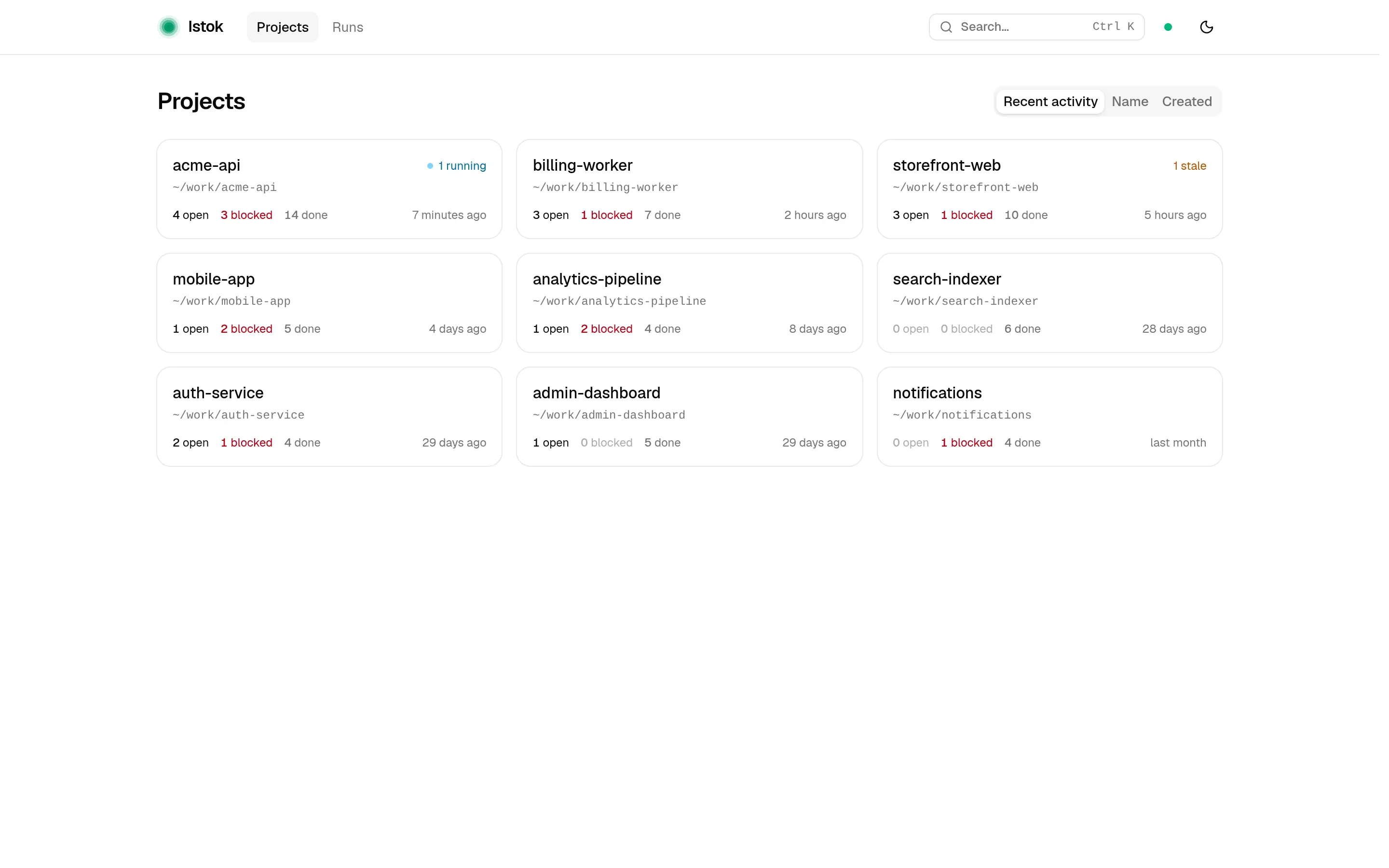
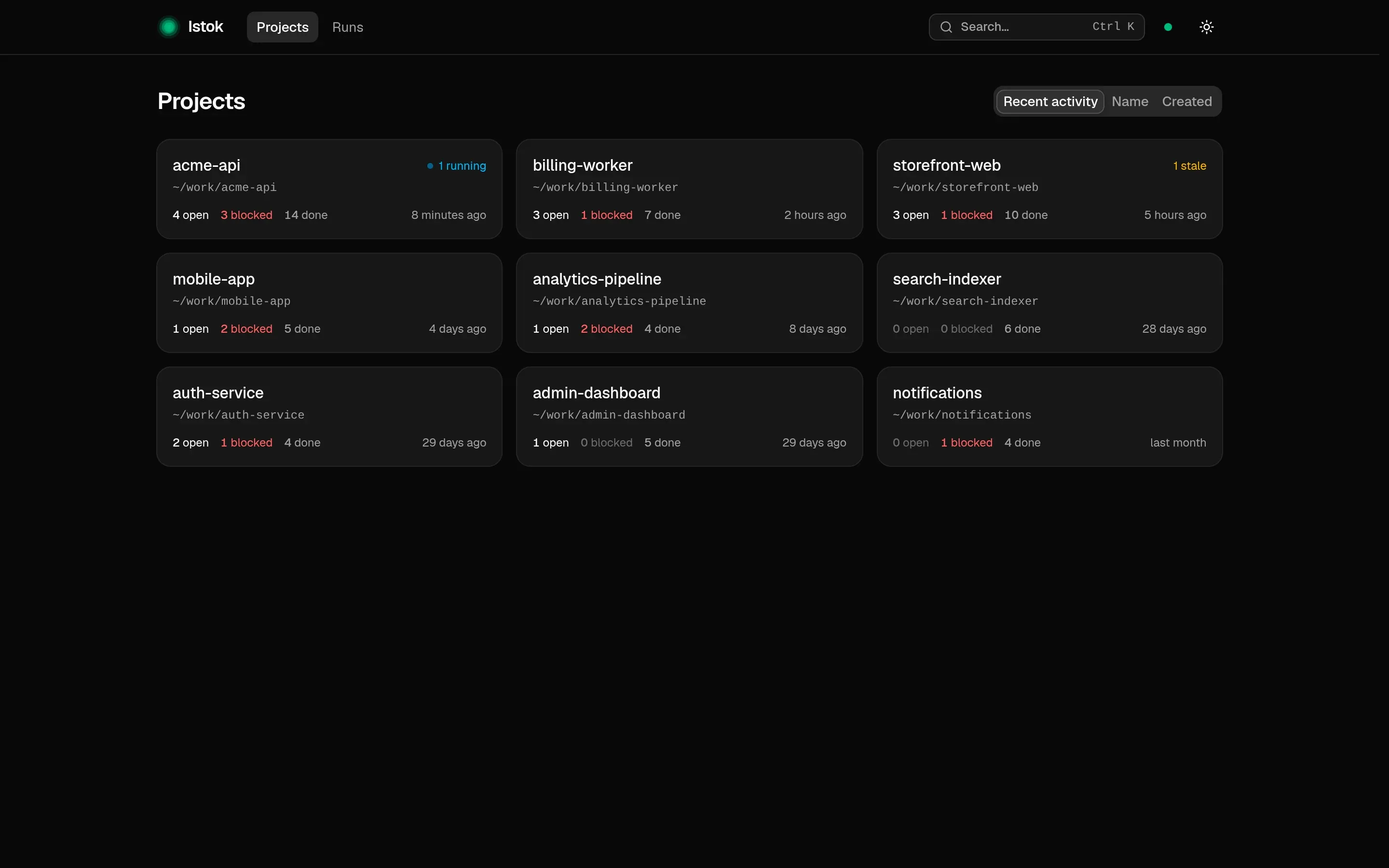
~/work $ istok project list
Local projects

 NAME                STATE     ROOT
 auth-service        ● ACTIVE  /home/alex/work/auth-service
 admin-dashboard     ● ACTIVE  /home/alex/work/admin-dashboard
 search-indexer      ● ACTIVE  /home/alex/work/search-indexer
 notifications       ● ACTIVE  /home/alex/work/notifications
 analytics-pipeline  ● ACTIVE  /home/alex/work/analytics-pipeline
 mobile-app          ● ACTIVE  /home/alex/work/mobile-app
 acme-api            ● ACTIVE  /home/alex/work/acme-api
 storefront-web      ● ACTIVE  /home/alex/work/storefront-web
 billing-worker      ● ACTIVE  /home/alex/work/billing-worker

  9 total projects
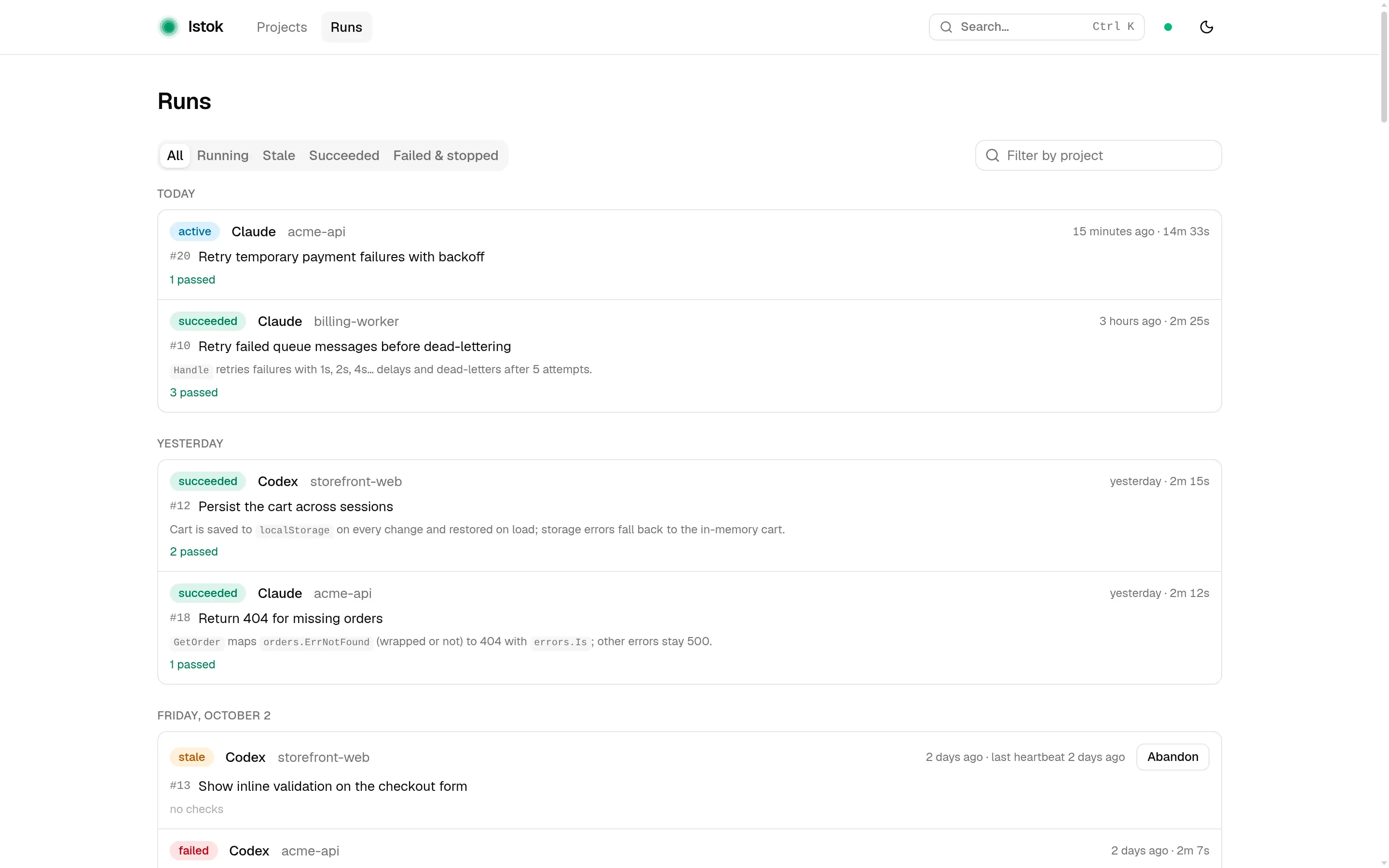
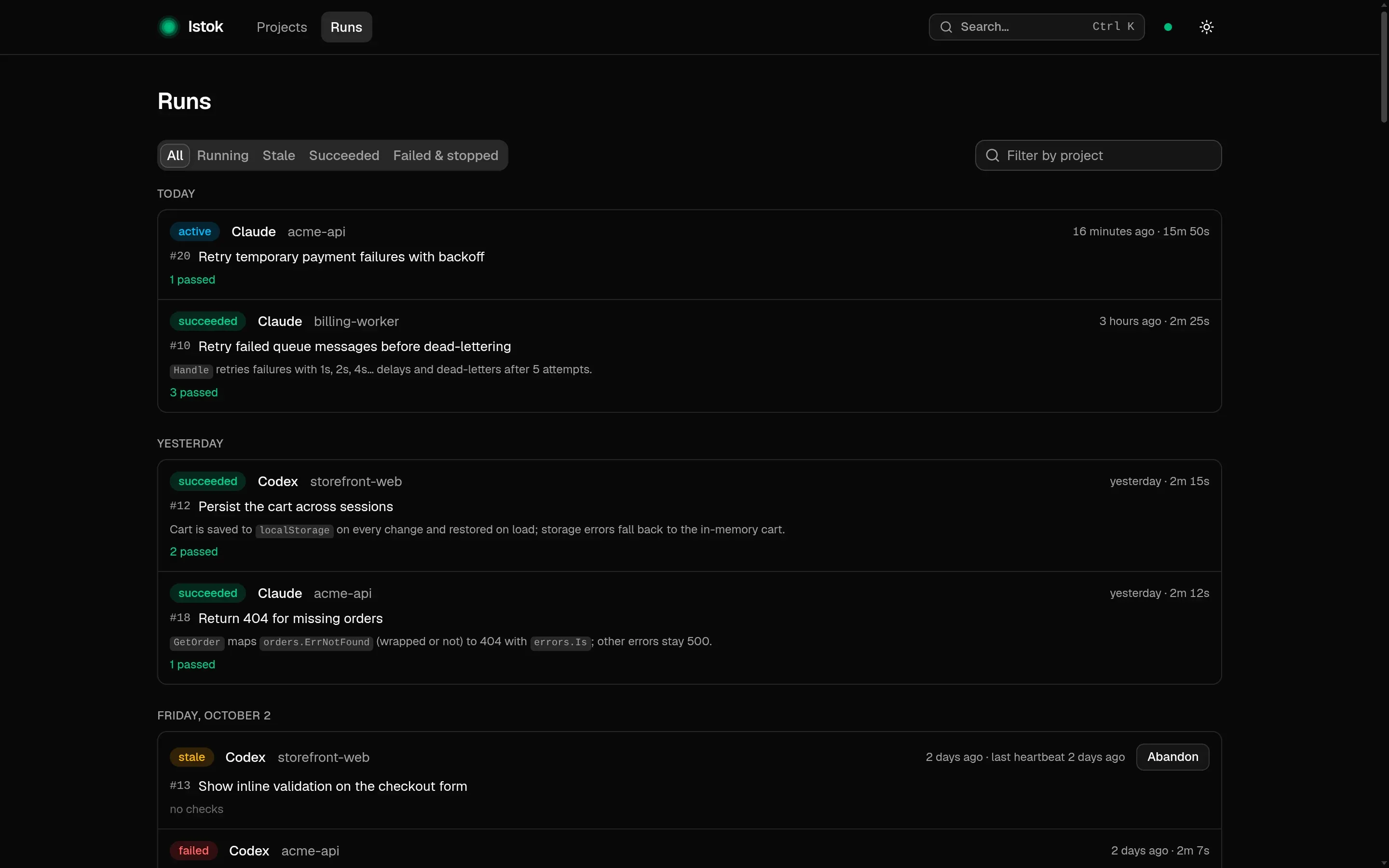
~/work/acme-api $ istok run list --limit 12
Runs

 ID                                    STATE        TASK  STARTED
 01a10725-f519-761f-b519-74801c2e5254  ● ACTIVE     #20   2026-10-04 13:27Z
 01a10725-f4d2-76b3-9905-f78eaeaf6683  ✓ SUCCEEDED  #18   2026-10-03 04:41Z
 01a10725-f4c7-7b85-8dfa-9daf7fbe7e6a  × FAILED     #18   2026-10-02 06:41Z
 01a10725-f4bb-7cfa-8a7d-2c09d27ac1ef  ✓ SUCCEEDED  #17   2026-10-01 08:41Z
 01a10725-f343-70b0-95d4-3bd574640fe8  ✓ SUCCEEDED  #16   2026-09-15 06:41Z
 01a10725-f338-754c-a8ef-81543406102a  ✓ SUCCEEDED  #14   2026-09-14 10:41Z
 01a10725-f32e-77b0-825a-fb1ed436589d  ✓ SUCCEEDED  #13   2026-09-12 05:41Z
 01a10725-f325-7ac8-b582-e9e3baf048af  ✓ SUCCEEDED  #12   2026-09-11 22:41Z
 01a10725-f31b-701e-90f5-1570726a4d18  ✓ SUCCEEDED  #9    2026-09-09 12:41Z
 01a10725-f312-7d0a-83de-56d73ce5ac13  ✓ SUCCEEDED  #8    2026-09-07 10:41Z
 01a10725-f30a-77f3-a75a-6a70eb7038b3  ✓ SUCCEEDED  #7    2026-09-05 18:41Z
 01a10725-f300-7ae4-84ab-fe8386dc97da  ✓ SUCCEEDED  #6    2026-09-05 18:41Z
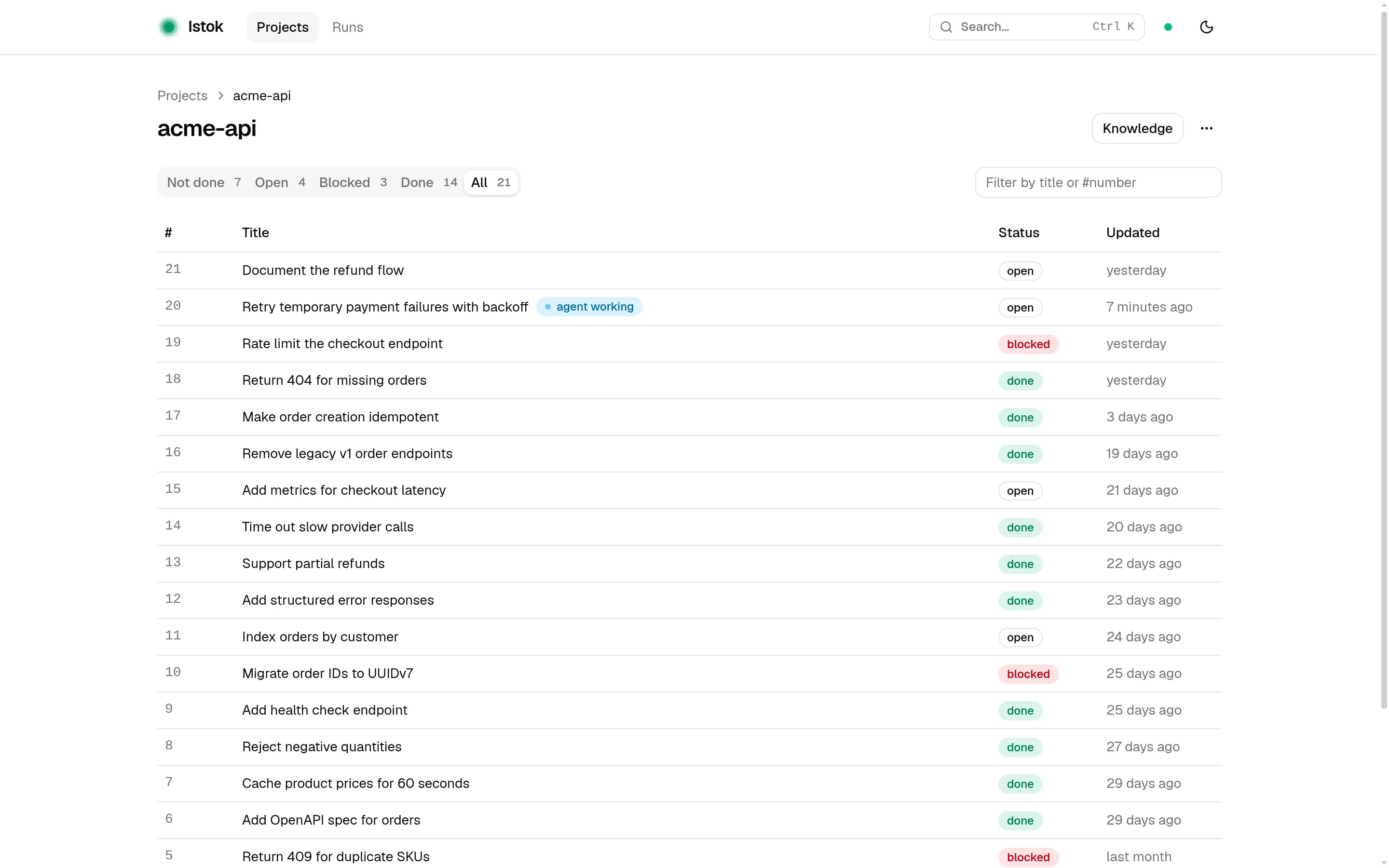
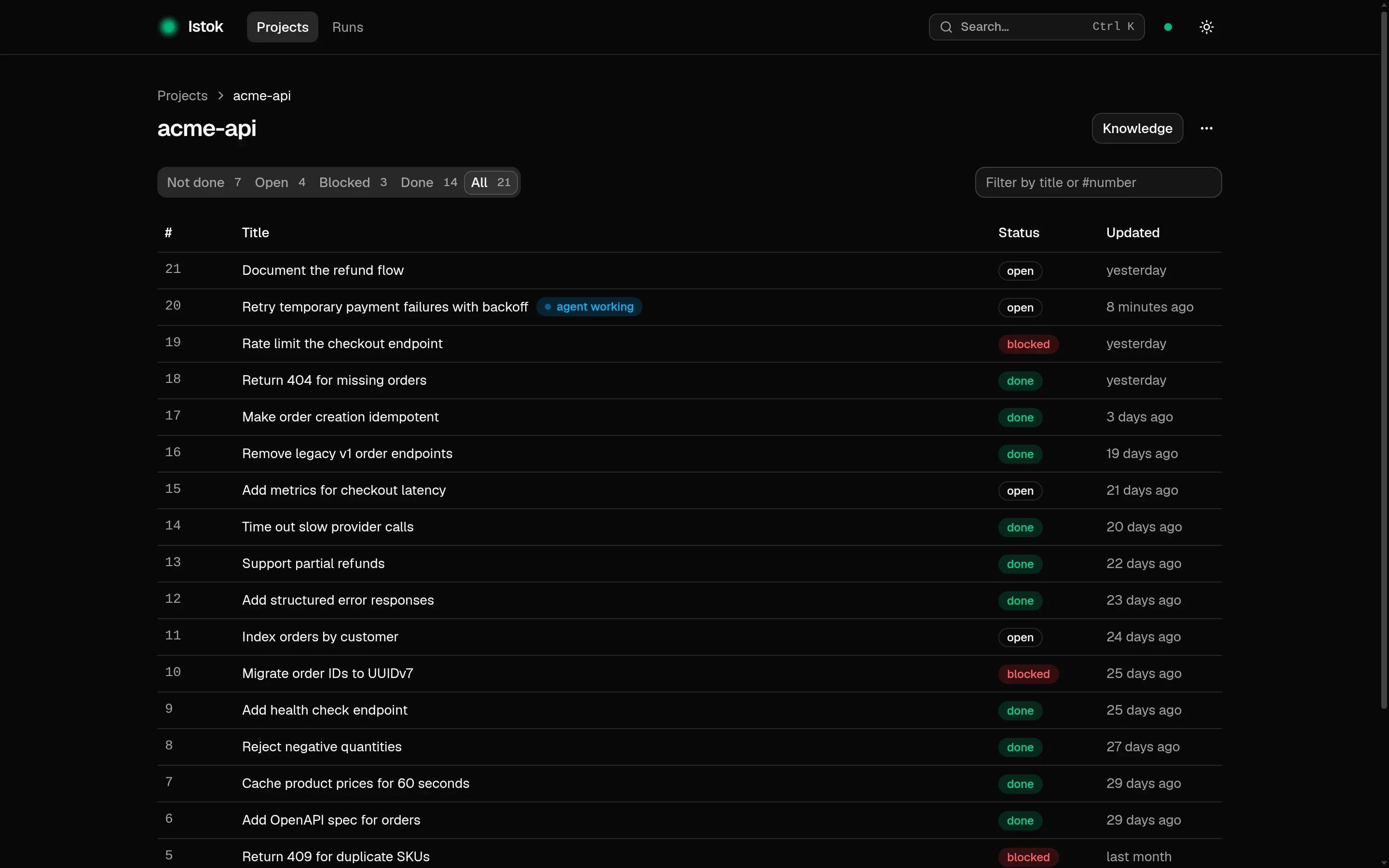
~/work/acme-api $ istok task list
acme-api │ 7 open tasks

 #    STATE          TITLE                                          BLOCKED BY
 #5   ! BLOCKED      Return 409 for duplicate SKUs                  —
 #10  ! BLOCKED      Migrate order IDs to UUIDv7                    —
 #11  ◆ READY        Index orders by customer                       —
 #15  ◆ READY        Add metrics for checkout latency               —
 #19  ! BLOCKED      Rate limit the checkout endpoint               —
 #20  ◐ IN PROGRESS  Retry temporary payment failures with backoff  —
 #21  ! BLOCKED      Document the refund flow                       #20
Describe the problem.Istok keeps the work.
No need to manage tasks by hand. Your agent creates the task, claims it, records progress and validates the result.
Say it once.Every agent remembers.
Ask your agent to remember a rule, a decision or a gotcha. Istok keeps it with the project and hands it to every agent that picks up a task there, whether it is Claude or Codex.
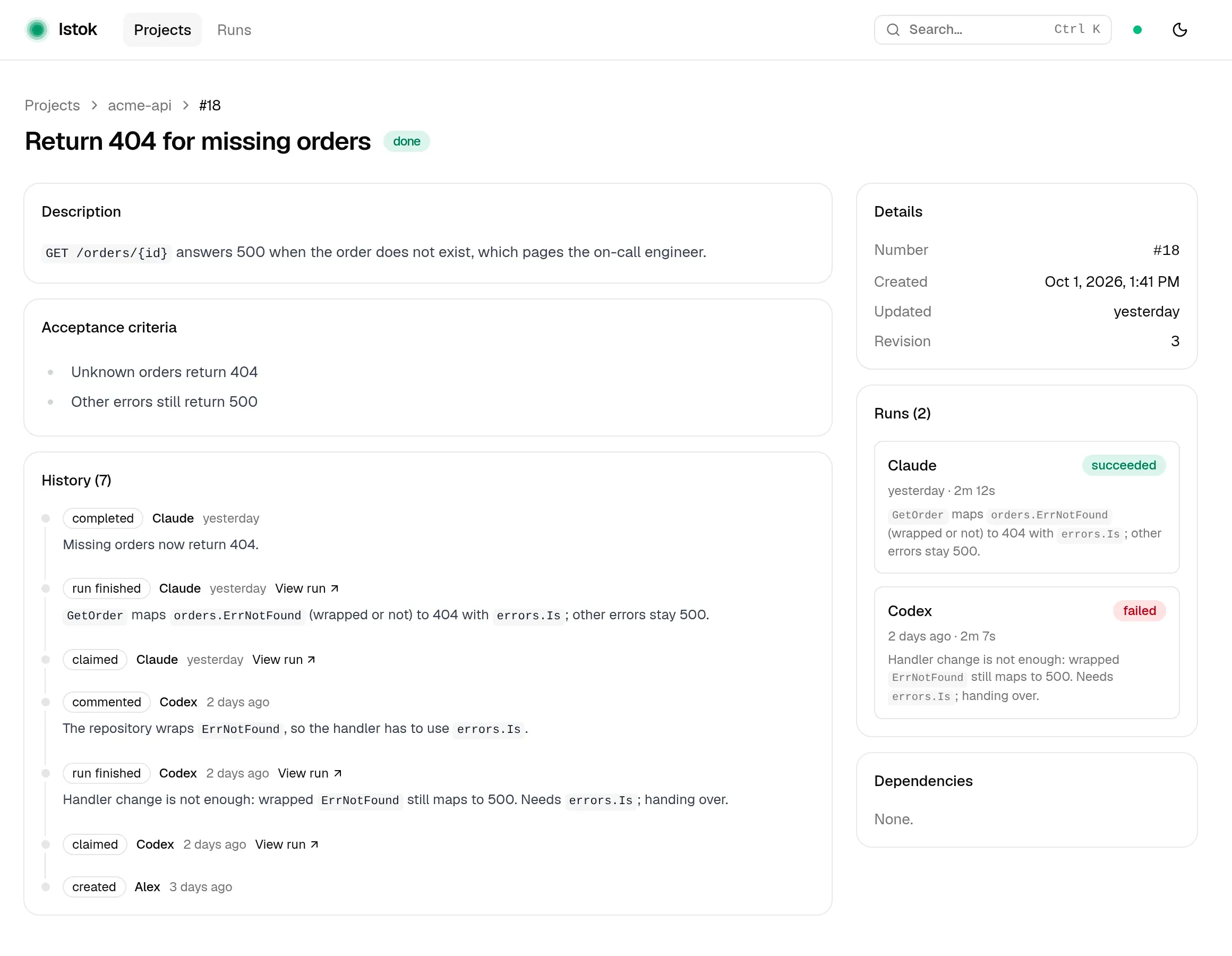
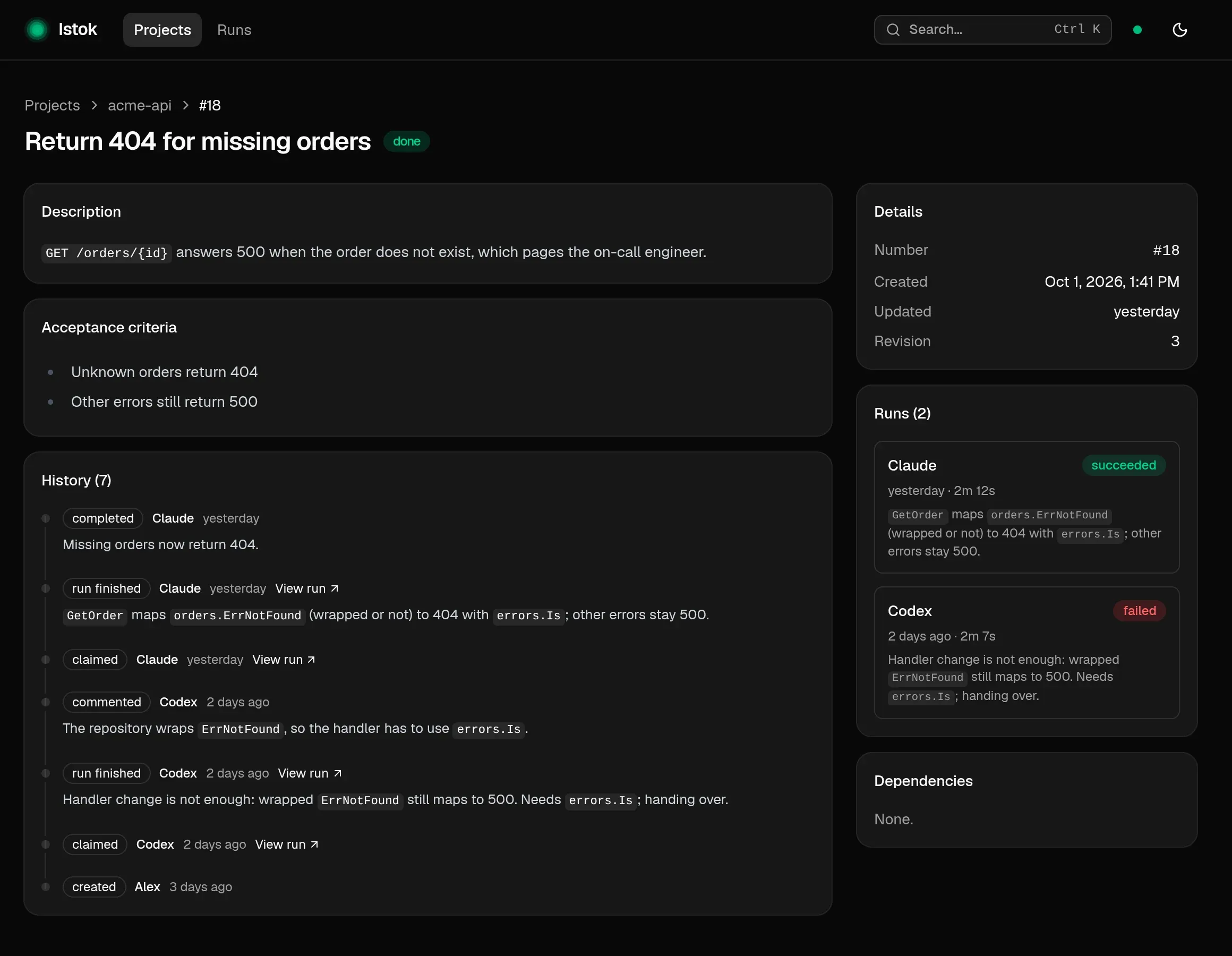
Come back to a task’shistory at any time.
Every task keeps its history: who claimed it, what failed, who took over and how it ended. Each step links to the run behind it.
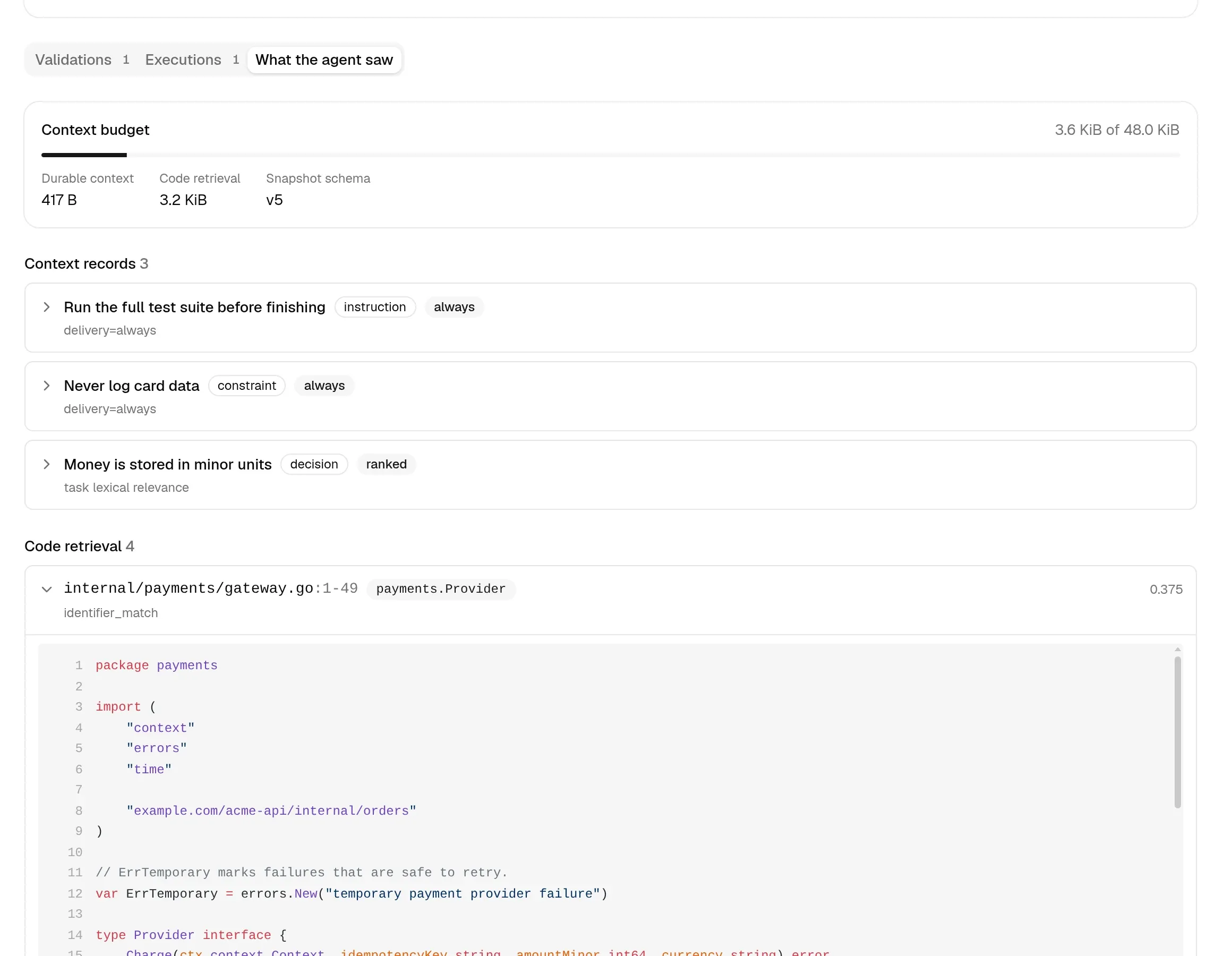
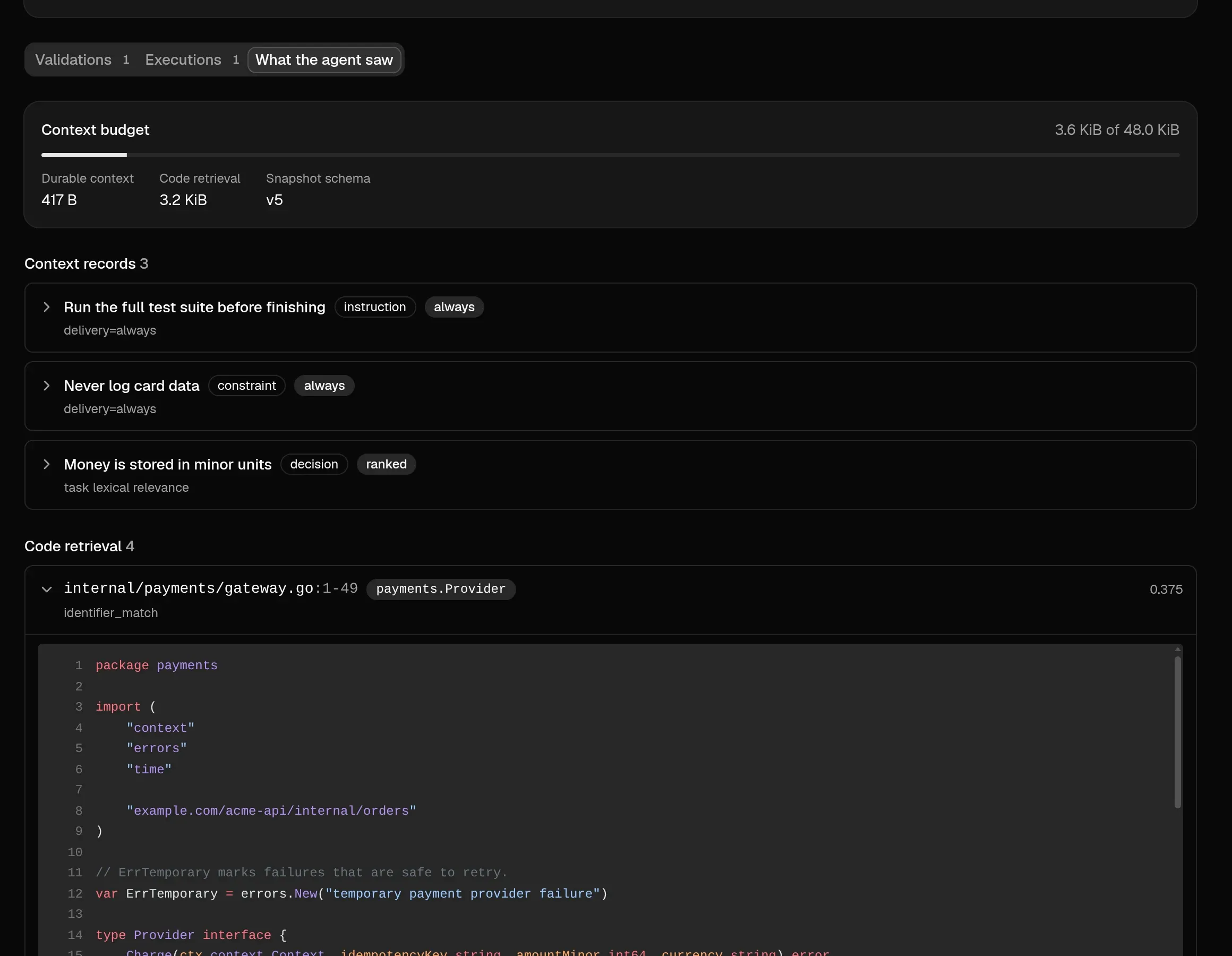
Start with context,not from zero.
When an agent claims a task, it gets the relevant code, rules and decisions right away. Istok keeps a copy, so you can always see what the agent started with.
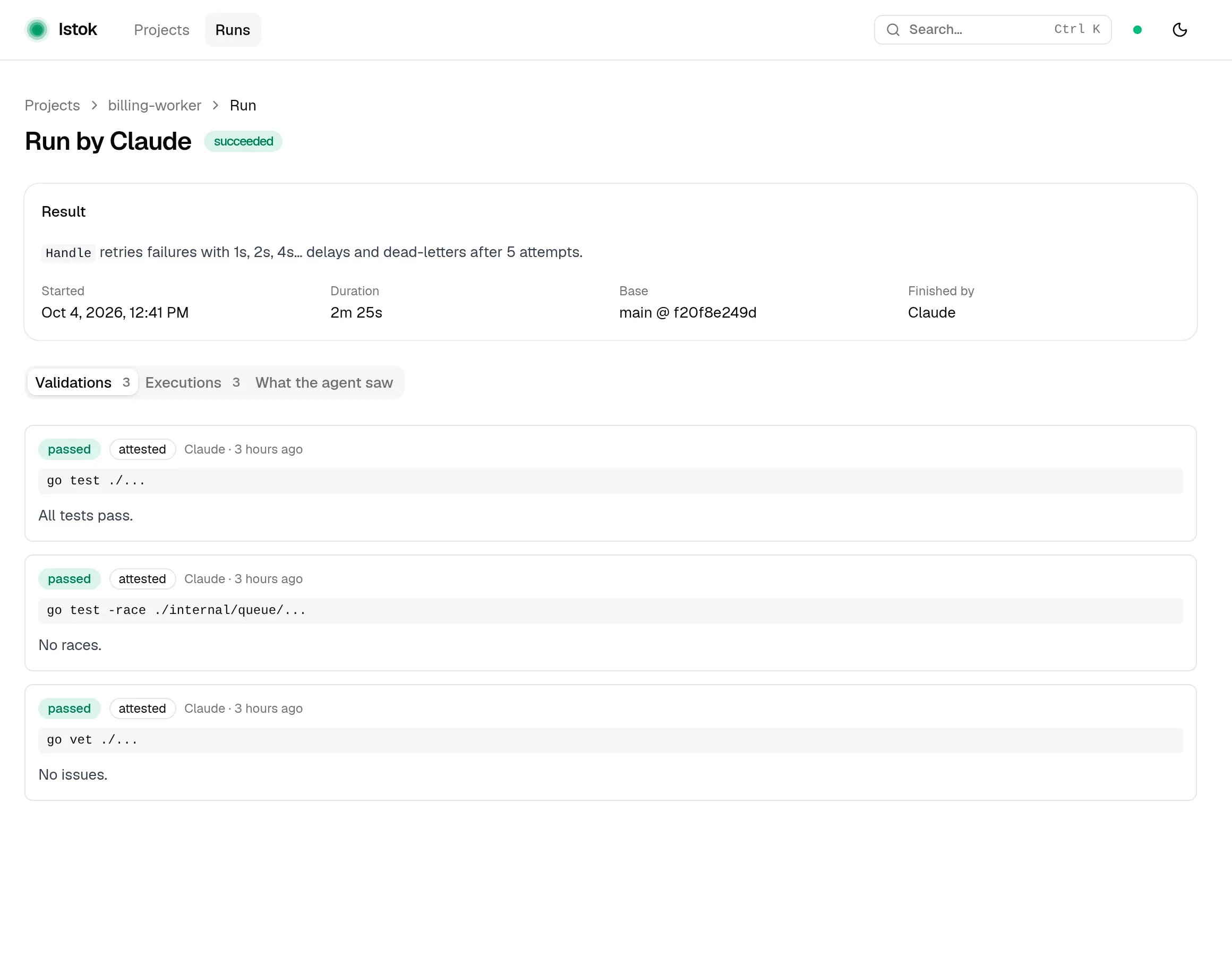
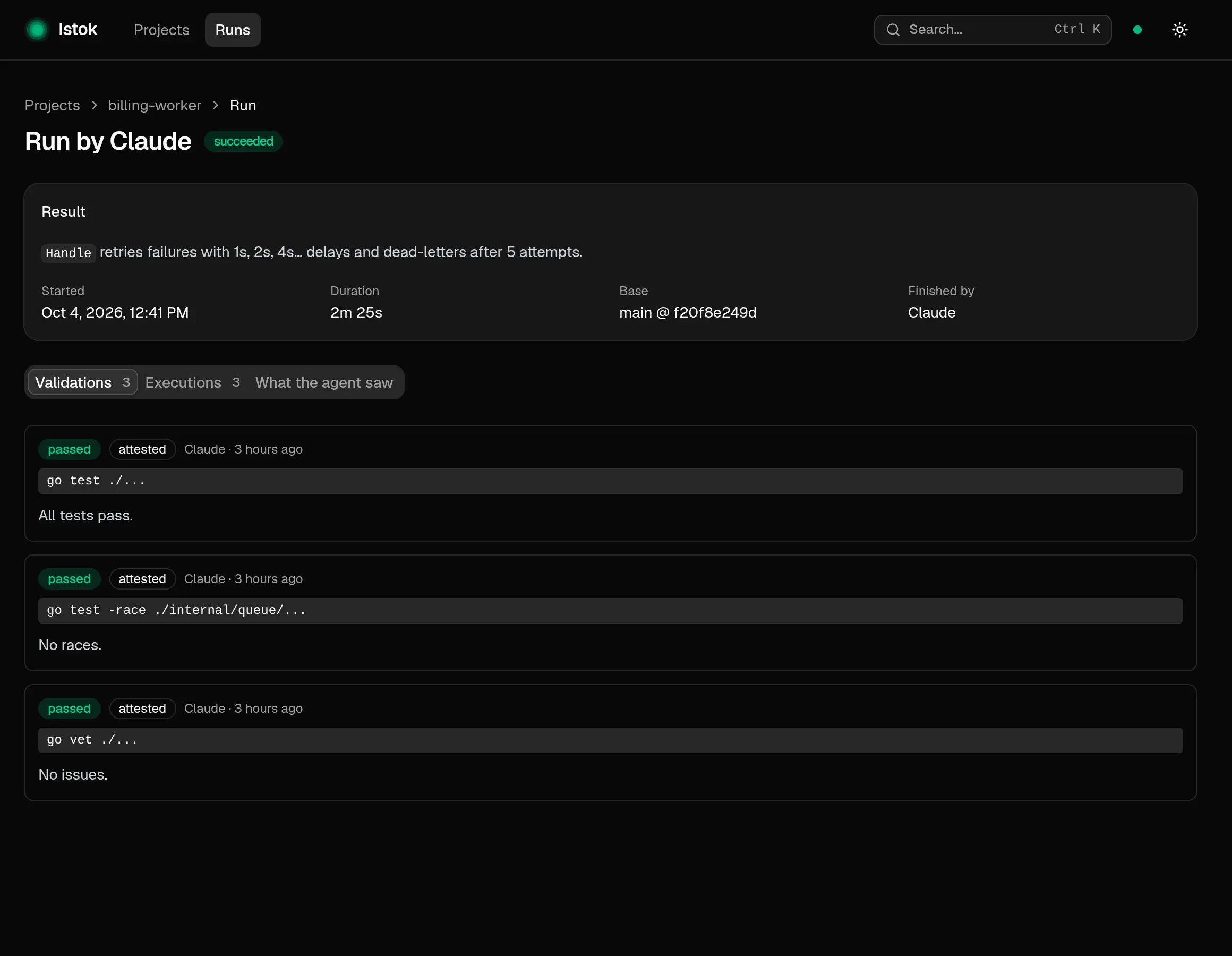
Done meansverified.
Agents record every check: the command, exit code and time. A task closes with proof.
Everything stayson your machine.
One binary and one SQLite file. No account, no cloud. Agents come and go; the project keeps its history.
Up and runningin a minute.
- 01
Install
One binary for Linux and macOS, no admin rights needed.
curl -fsSL https://get.istok.sh | sh - 02
Connect your agent
Once per machine. Claude Code shown here; Codex, Cursor and any MCP client work too.
claude mcp add --scope user istok -- \ istok mcp --actor-id claude --actor-name "Claude Code" - 03
Register your project
Open the agent in your repository and ask: it registers the project through MCP. Nothing is written into the repository.
Register this project in Istok.
- 04
Open the UI
Watch tasks and runs appear while your agent works.
istok ui
Give your agentsa shared memory.
Connect your agents once, and Istok keeps their work between sessions.