A project is the box Istok keeps everything in for one repository. This page explains how a repository becomes a project, how Istok knows which project an agent is in, and where the data is stored.
Registering a repository
Istok only works with repositories you register. You do it once per repository, usually by asking your agent:
Register this project in Istok.
Registered acme-api in Istok.
The agent calls the MCP tool project_init, which registers the directory the agent was started in. From a terminal, istok init does the same. Registering a directory that is already a project returns the existing project instead of creating a second one.
istok init also builds the first code index. A project registered through MCP gets its index the first time an agent needs code retrieval.
What a project holds
Everything Istok records belongs to a project, not to a conversation or to a particular agent:
- tasks, their dependencies, progress, and comments;
- runs, with the commands they ran, validations, and artifacts;
- saved context (project rules, decisions, constraints, notes);
- knowledge items;
- the code index used for search.
Because the state lives with the project, a new session, or a different agent, can pick up where the last one stopped. See Tasks and runs.
How Istok finds the current project
Istok resolves the project from the directory you are in. That is why one istok mcp entry in your agent’s user-level config works for every repository: each MCP server process looks at the directory it was started in, picks that project, and stays with it until it exits.
CLI commands do the same with your current directory, so istok task list inside acme-api lists the tasks of acme-api.
Nested projects
A project can sit inside another project, for example an app inside a monorepo:
~/work/platform            → project "platform"
~/work/platform/apps/web   → project "web"
The closest project wins. Anything started in apps/web or below belongs to web; anything else under ~/work/platform belongs to platform. Two active projects cannot have exactly the same directory.
Where the data lives
Istok writes nothing into your repository: no marker files, no config, no exported notes. All state is local to your machine:
<data-home>/istok/
├── istok.db      projects, tasks, runs, context, knowledge (SQLite)
├── indexes/      code index, one directory per project
└── artifacts/    files recorded by runs
On Linux <data-home> is ${XDG_DATA_HOME:-$HOME/.local/share}; on macOS it is $HOME/Library/Application Support. There is no account and no cloud service. The database file is readable only by you. Paths and overrides are in Configuration.
Seeing your projects
istok ui opens the local web UI, which lists every project with its task counts, running and stale runs, and recent activity.
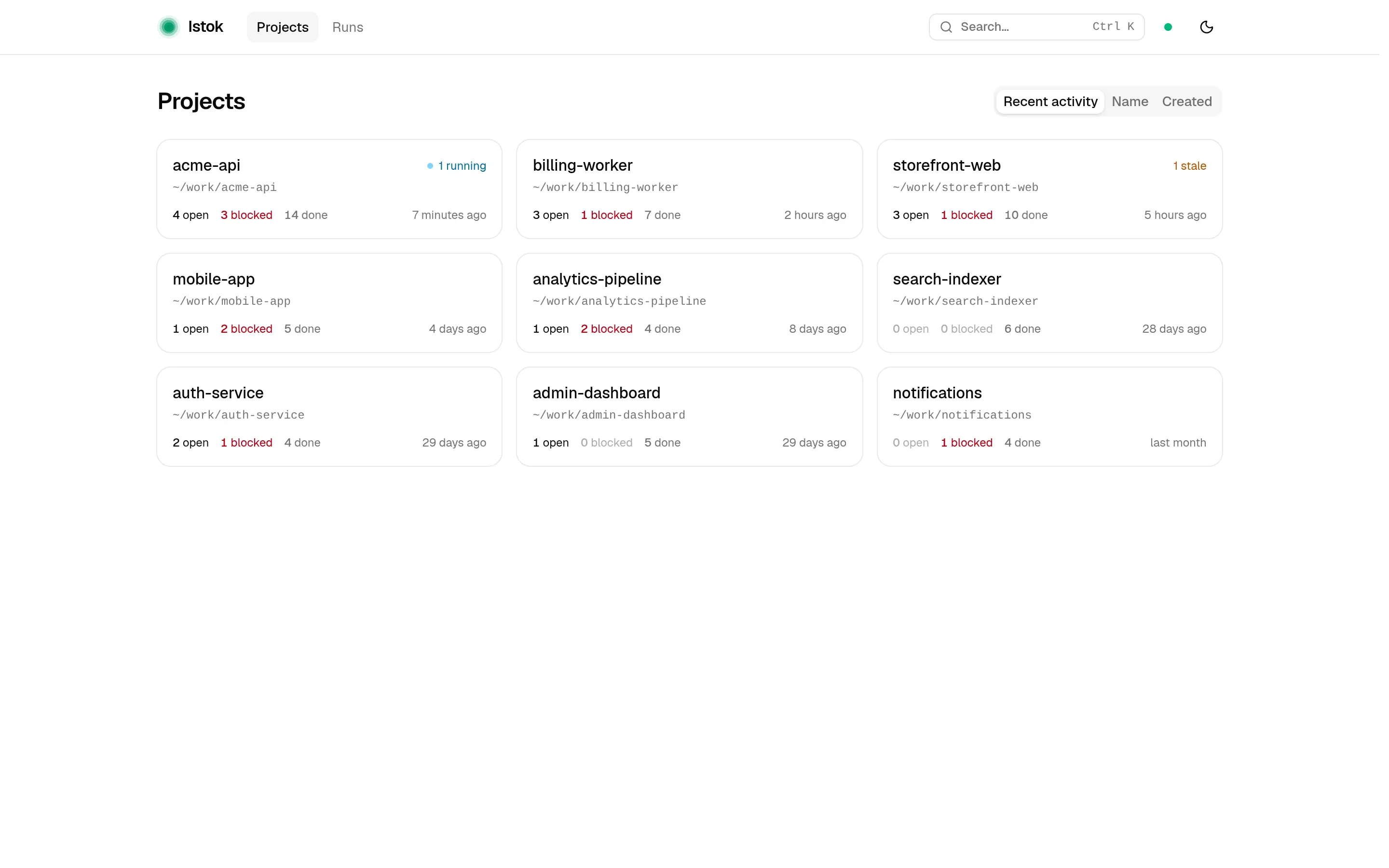
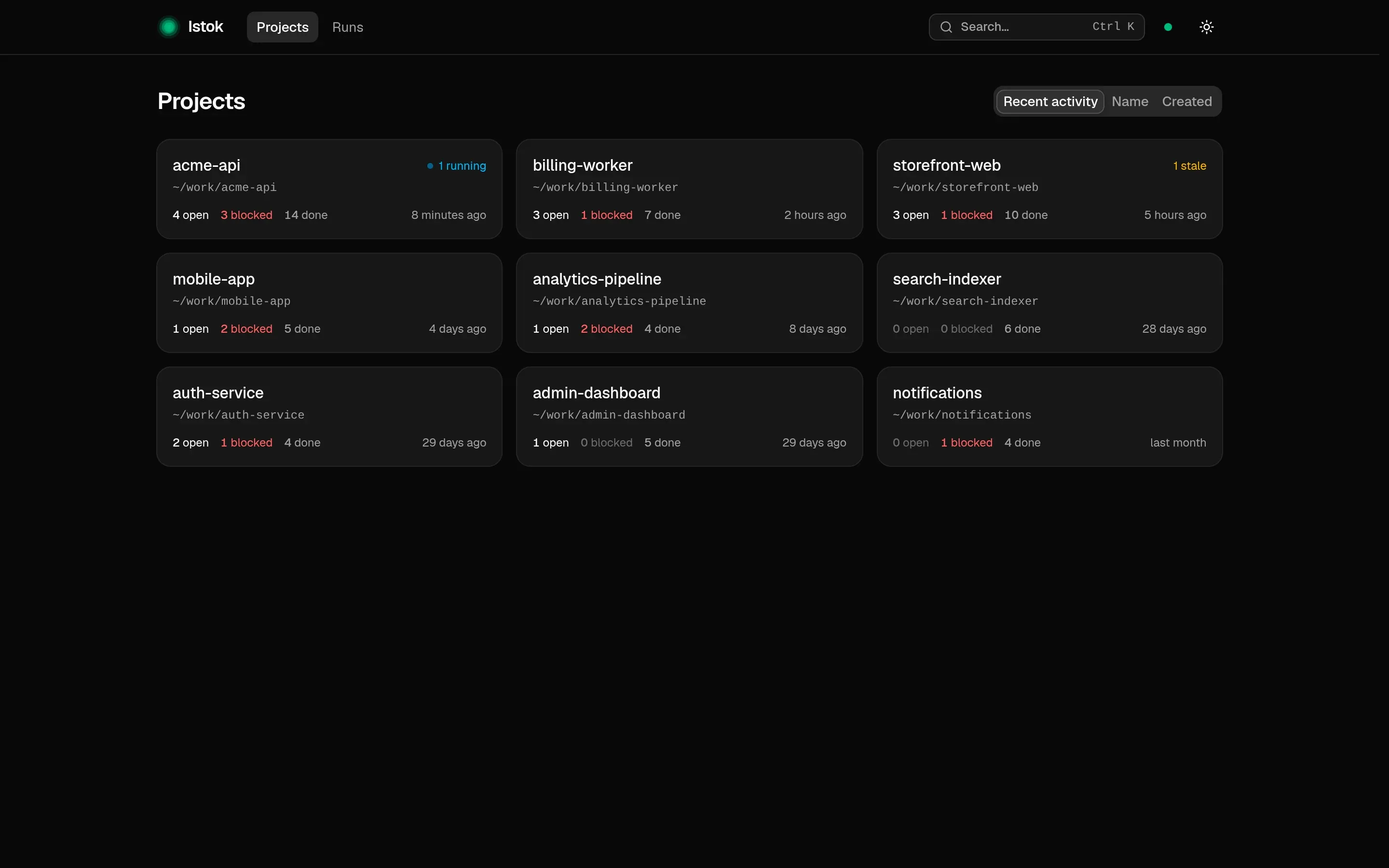
From the terminal, istok project list and istok project show give the same information. See the Web UI guide.
Moving, renaming, and deleting
- Moved the repository? Rebind the existing project to the new path with
istok project rebindinstead of registering a new one. Tasks and history stay attached. - Want a different name?
istok project rename. - Deleting a project hides it from the active list and frees its directory, but keeps its tasks, runs, and history. It never touches your files, and
istok project restorebrings it back.
All flags are in the istok project reference.